What verification checks
When Content Snare verifies a domain, it checks two DNS records, the DKIM (TXT Record) and the Return-Path (CNAME Record). Your domain shows as Verified only once both resolve.
Read the error to see which record to fix
The error message tells you which of the two records failed, so you can fix that one instead of re-checking both. To see it:
- Click your avatar in the top right.
- Choose Settings, then Branding, then the Email domain tab.
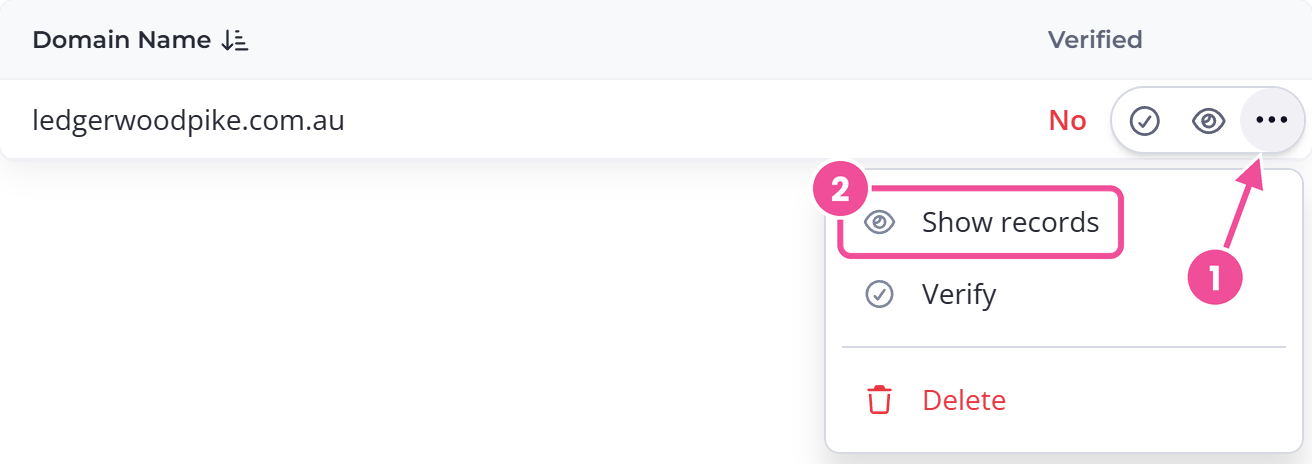
- Find your domain and open its actions menu .
- Choose Show records, then press Verify Domain.
The Validate Email Domain popup shows one of these:
| Message in the popup | What to fix |
|---|---|
The DKIM record was found however the Return Path record was missing or incorrect. | Your Return-Path CNAME record. |
The Return Path record was found however the DKIM record was missing or incorrect. | Your DKIM TXT record. |
| Your domain could not be verified. | Neither record was found. Check both. |
Scroll sideways to see the whole table
Each message also tells you to recheck and try again, since some DNS providers take a few hours to apply a change.
Copy the record values from Show records
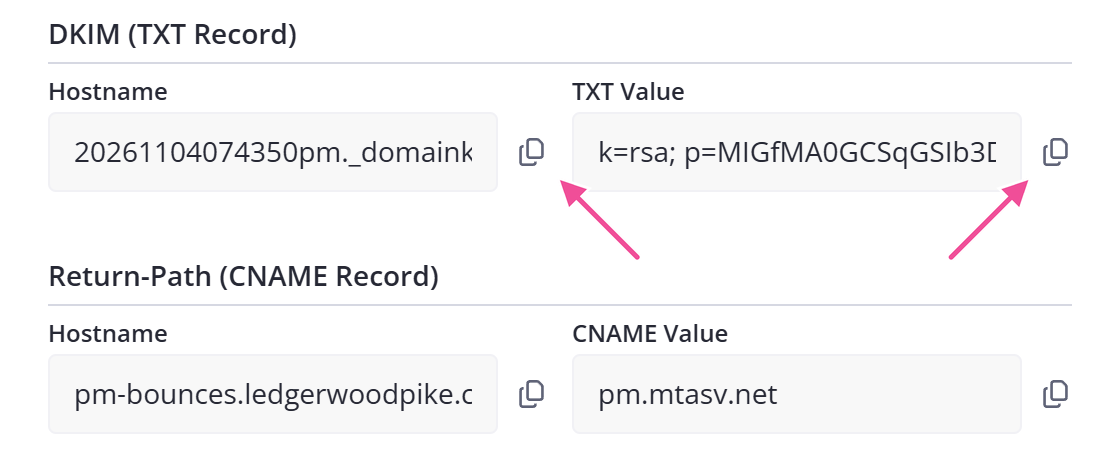
A common reason a domain won't verify is that the values in your DNS don't match the ones Content Snare issued for it. Open Show records and copy both the name and the value for each record straight from there, with the copy icons . Content Snare's email provider generates the DKIM (TXT Record) and Return-Path (CNAME Record) values separately for every domain, so a value taken from another domain, an old screenshot, or a setup guide won't work.
If you haven't added the domain yet, send email from your own domain covers the full setup.
Give DNS time, then try again
If you have added or corrected the records, give DNS time to update. Verification can take several hours depending on your provider, and DNS occasionally takes up to 48 hours to propagate, so come back and press Verify again later instead of re-editing records that are already correct.
Content Snare retries an unverified domain automatically, but only for roughly three days from when you added it, or from when it last slipped back to No under Verified. After that it stops checking on its own, so if you fix your records a few days later, the domain stays unverified until you open it and press Verify yourself.
Check your DNS records with a free tool
To confirm your records are live, look them up with a free DNS checker:
- Open Show records and copy a record name with its copy icon.
- Paste it into the checker.
- Pick TXT for the DKIM record or CNAME for the Return-Path record, then search.
Type the full record name, including your domain. For the DKIM record that means something like _domainkey.example.com, not _domainkey on its own. Leaving your domain off returns no results, even if the record is there.
A few red crosses in the results are normal while DNS is still propagating. They mean some servers haven't updated yet. Once the values match what Show records shows and you see green ticks, your records are correct. Content Snare verifies the domain on its next check, and if it has already stopped checking, press Verify yourself.
It verified before and now shows No
If a domain that used to work now shows No under Verified, a required record has been removed or changed at your DNS. Content Snare re-checks every verified domain every few hours, so when the DKIM (TXT Record) or Return-Path (CNAME Record) is later deleted or edited at your DNS provider, the domain flips back to No.
Put the record back the way Show records lists it, then press Verify. Content Snare only retries on its own for about three days, so on a domain that slipped back a while ago, pressing it yourself is the only thing that will re-check it.
No Verify button on your domain
Once a domain is verified, the Verify and Show records actions disappear. Only Delete remains.
If the domain shows No under Verified and there are no actions, your plan doesn't include custom branding. The Add Domain button is disabled and the row has no actions button at all. To send from a custom domain, move to a plan that includes custom branding.