You've built a request, seen what your clients will see, and saved it as a template. A few things to tidy up and set up, and then you're sending real requests.
Free up your practice request
- Open Requests from the main menu.
- Find the request you practiced with.
- Open its actions menu .
- Complete it or archive it.
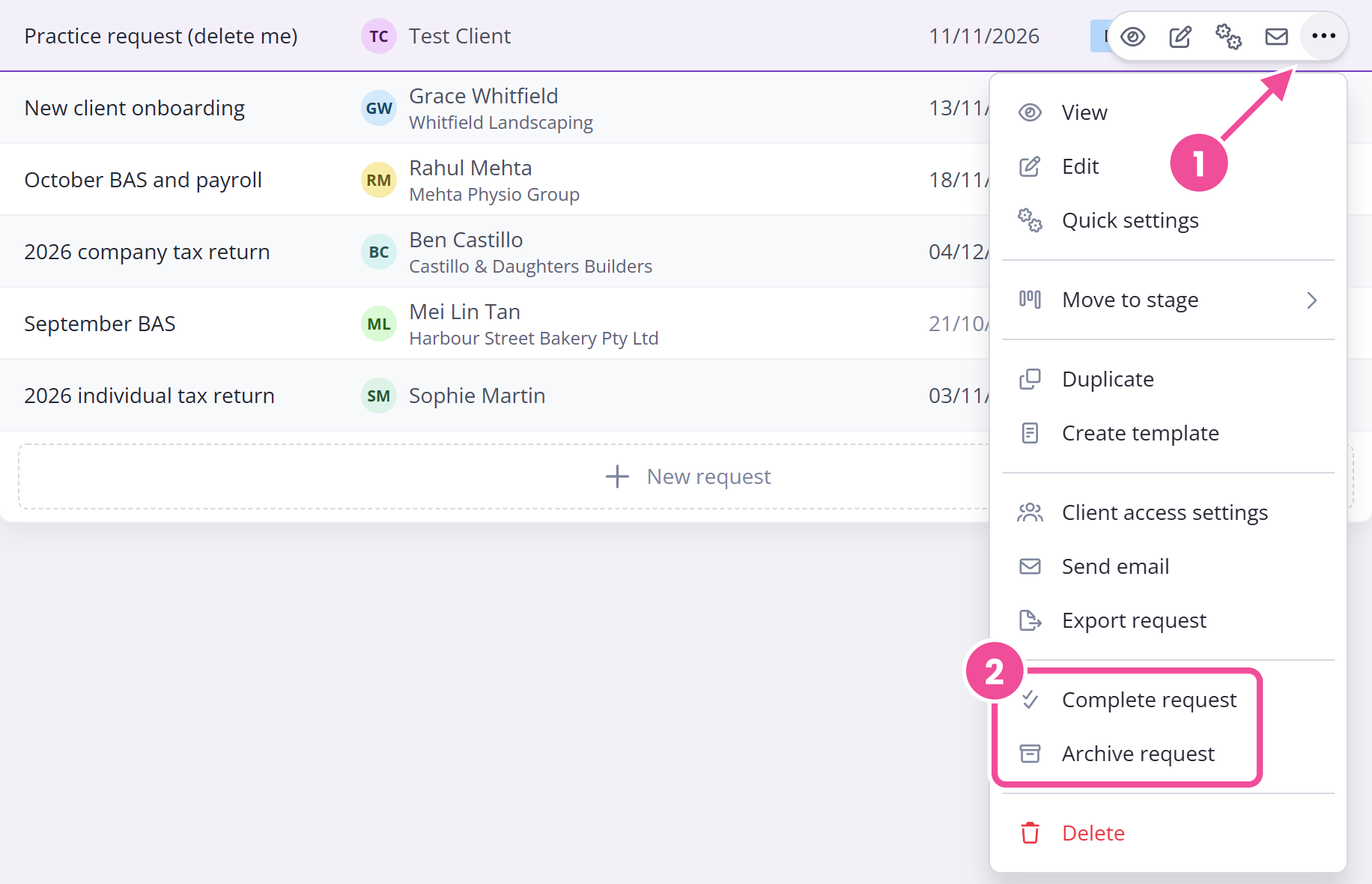
A request only counts against your plan's active request limit while it's published, so completing or archiving it stops it counting the moment you do. That gives you the slot back, and you don't have to delete anything.
Get the go-live checklist
The checklist covers everything to set up or check before a real client sees a request: your branding, your templates, your reminder scheduleThe shared set of automated emails and text messages Content Snare sends about a request., sending from your own domain, and who on your team needs access. Enter your name and email on the checklist and we'll send it over.
It arrives as a Content Snare request, so working through it also puts you on the other side of one. That is the fastest way to understand what you're asking your clients to do.
Name someone to own the rollout
Pick one person to own the rollout and be the first stop for everyone else's questions. People normally call this person the champion. In most practices that's a practice manager, an admin, or one of the accountants; in a larger organization it might be a project manager. Get them to agree to the job before you start, and give them the Administrator role so they can invite people and manage the account.
Bring the team in early
Don't wait until everything is perfect before anyone else logs in. Bringing the team in early means they help shape how you use Content Snare instead of inheriting a setup they had no say in.
Check your seats first, since each plan includes a fixed number of team-member seats and you can't send another invite once they're full. Plans and limits shows how many seats each plan includes, and team members and permissions covers the role to give each person.
Build templates
Build your requests as templates so everyone works from the same starting point instead of each person rebuilding their own. Create and edit templates covers building and editing them.
Choose one process to start from
Pick one process to move first. Choose something you run often, like a request you send to every new client, and get it working end to end before you move everything across. You can bring more people and processes over in phases as you go.
Then bring in your clients
Don't start with your clients. Get yourself comfortable first, then your team, then a handful of clients you know well before you go wide. Start with your clients and you'll wonder later why so few of them used it.
Get hands-on help if you want it
If you'd rather not run the rollout yourself, the higher onboarding packages come with hands-on help, including team training, template reviews and template migrations. Check the current packages on the Content Snare onboarding page.
The resource pack
The resource pack is a shared Google Drive folder. It holds four things to help you bring your clients and your team on board:
- Client email templates for introducing Content Snare to your clients
- A content collection handbook, our advice on getting what you need from clients on time
- A success blueprint for getting the most out of Content Snare
- The Boss Pitch Deck, for making the case to your boss and team