You've reached the number of requests your plan can have Published at the same time. When you try to publish another, Content Snare shows Publishing this request will exceed your current limits.
and won't publish it until you free up a slot or move to a higher plan.
What counts as an active request
Only requests that are Published count toward your plan's limit. A request showing Waiting is still a published one, so it counts too. Drafts, requests scheduled to send later, completed requests, expired requests and archived ones don't count. That's why your active count is usually lower than the total number of requests in your account.
Free up a slot
Mark a finished request complete, or archive one you no longer need. Either one removes it from your active count immediately, leaving space to publish a new one.
- Open Requests.
- Find the published request you want to clear.
- Open its actions menu and choose Complete request or Archive request.
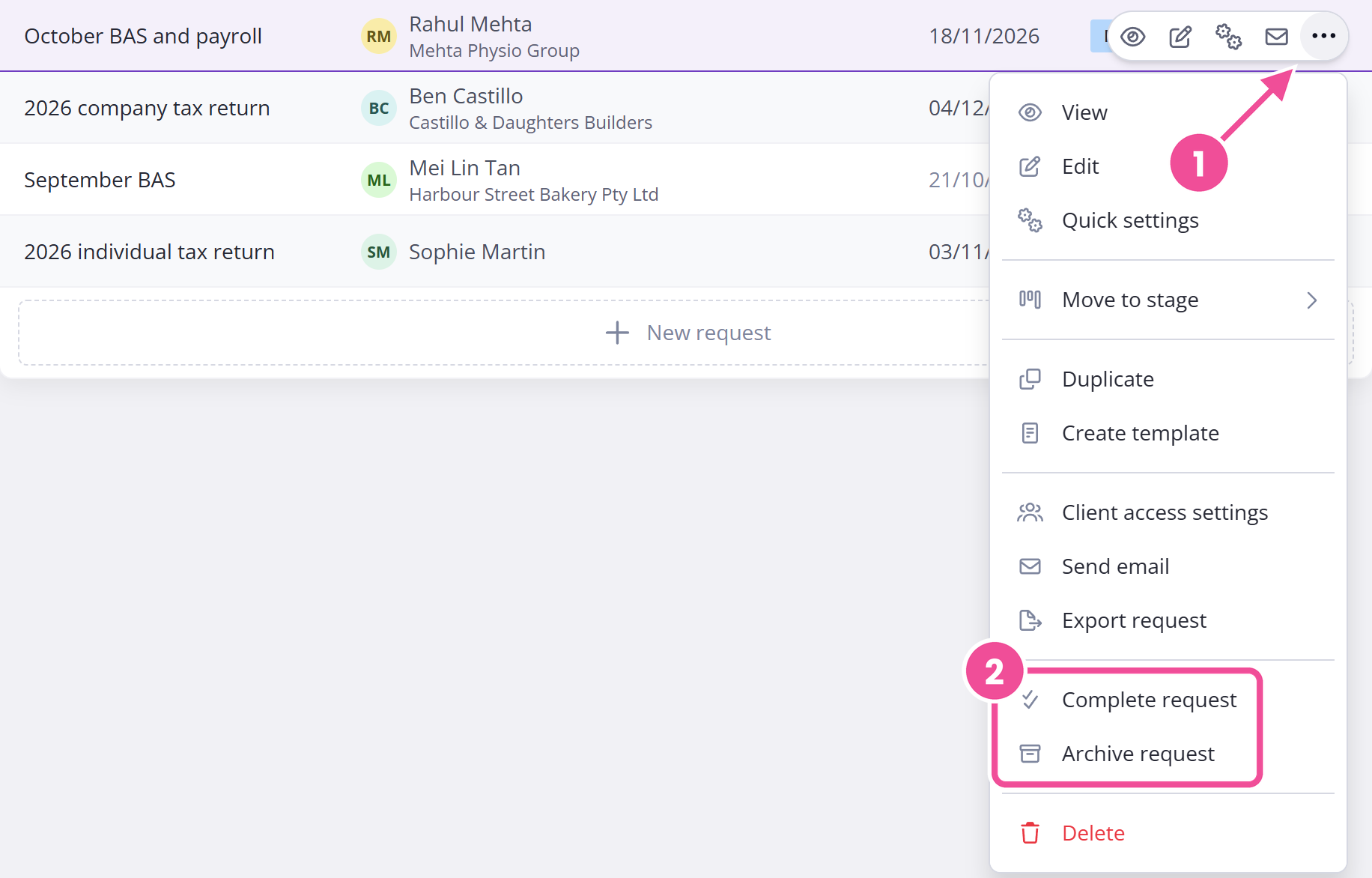
What you can do here depends on your role. Administrators and Editors can complete or archive a request. A Reviewer can mark a published request complete but can't archive it. A Viewer can't do either, so ask someone with the right role to free the slot.
Check how many you're using
- Click your avatar in the top right.
- Choose My plan.
- Look under Usage.
Next to Requests, it shows how many active requests you're using and how many your plan allows, so you know whether freeing a slot is enough or you need to upgrade. Only an Administrator sees My plan, so if you have another role, ask an admin to check.
Raise your limit
To raise your limit, move to a plan with more active requests. Plans and limits has the figure for every plan, and you can compare plans and switch from your account settings. If you're freeing slots every few days, it's probably time to upgrade.
Only an Administrator can change the plan. If you're not an Administrator and you need a higher limit, ask one of your admins to upgrade.