Duplicating copies a request into a new draft, so you don't have to build the same set of questions twice. You need to be an Administrator or an Editor.
- Open Requests and find the request you want to copy.
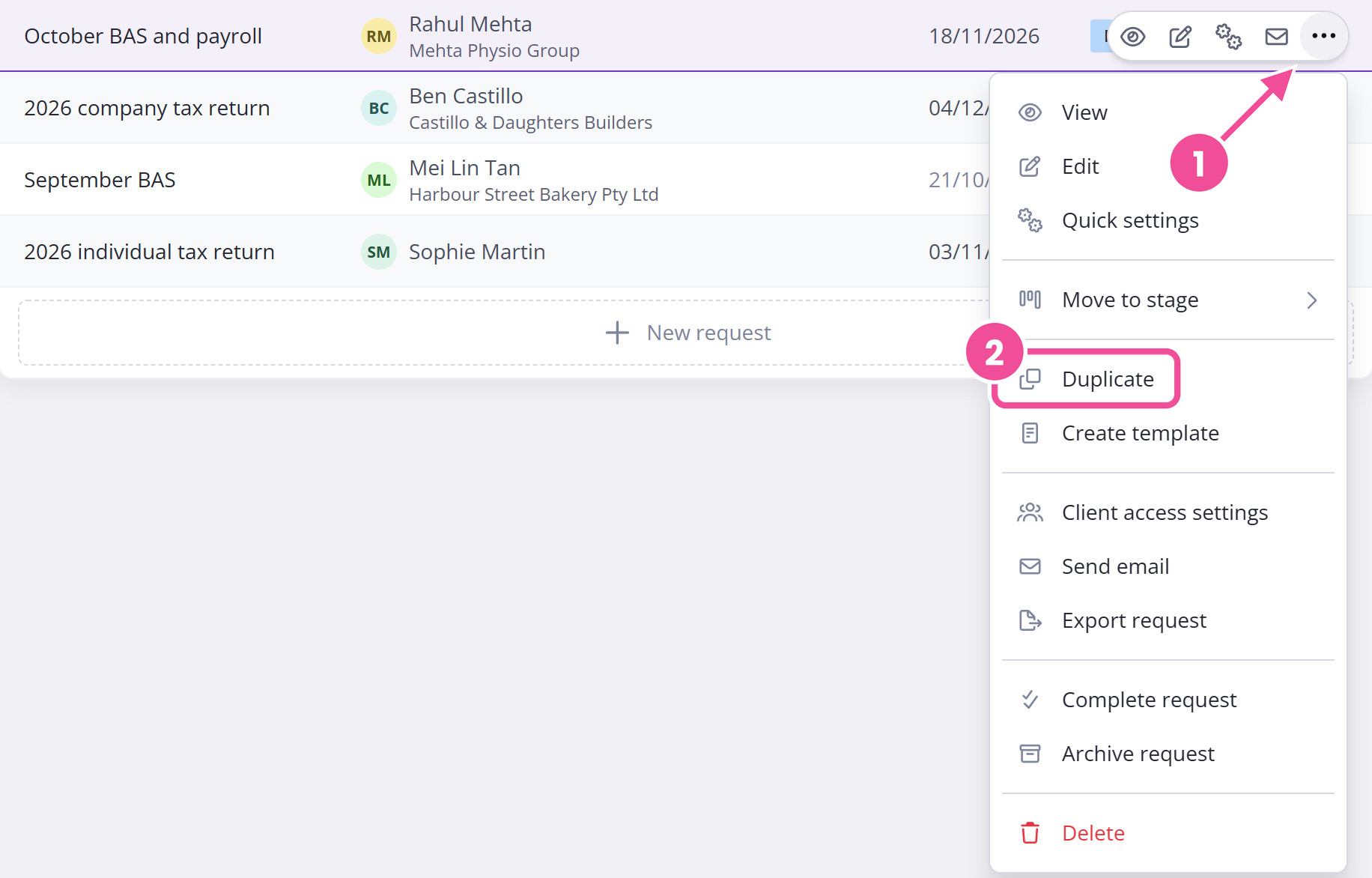
- Open its action menu, the three dots at the end of its row (or on its card in grid view), and select Duplicate.
- If the request already has answers, pick Questions only or Questions and answers. If no one has answered yet, the copy includes the questions only.
For a request you send regularly, save it as a template instead.
Copying answers
When the request has client answers, you choose between:
- Questions only copies the questions without the answers.
- Questions and answers copies both.
The Sensitive Information Warning
Choose Questions and answers and a Sensitive Information Warning appears before the copy is made.
Confidential fieldA field whose answer is hidden once your client submits it, so it can't be read again from the request. answers and client signatures are never copied, even with Questions and answers. Everything else carries over, including files and images your client uploaded. You'll need to re-collect the confidential answers and signatures on the new request.
To skip the warning next time, tick Do not show this warning again. That's saved to your own login, so it stops the warning for you but not for the rest of your team. From then on the answers come across without a prompt, so check the draft before you publish it.
What you end up with
The copy is a new draft. Its name is the original's with "(copy)" added, and it's assigned to the same client as the original. It stays a draft, so nothing reaches your client until you publish it. If the copy is meant for someone else, reassign the client before you publish, then send it the same way as any request.